 article
Which one is real, which is AI? How I made indistinguishable UGC ads with Claude Code + Higgsfield
July 8, 2026 · selma kocabıyık
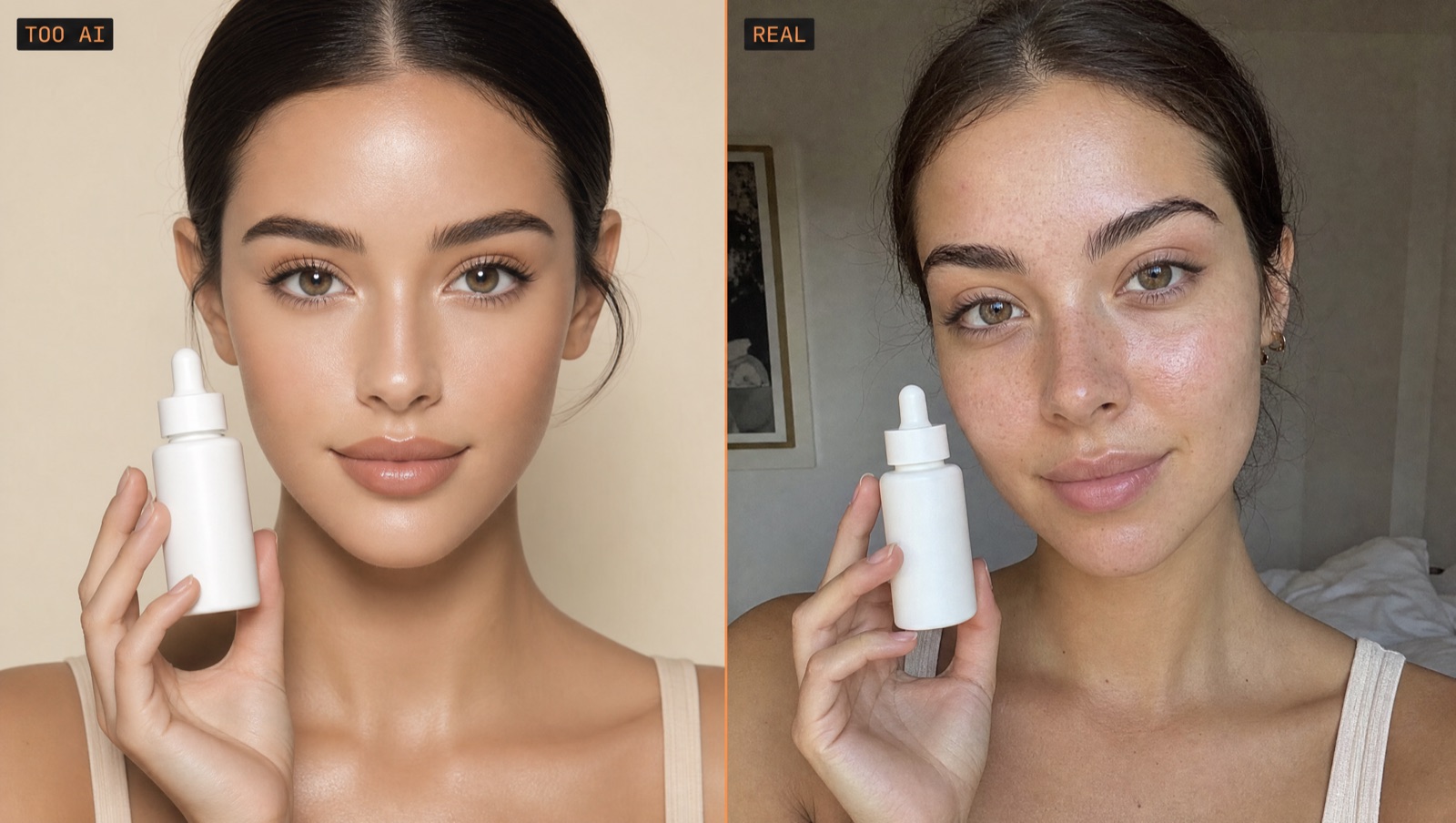
A client rejected the first videos: “too AI, looks like a model.” The job was never “generate a video.” It was to be indistinguishable from reality. Here is the exact, repeatable recipe I built — every command is real, only the brand is anonymized.
They weren’t wrong. Three things give synthetic UGC away, in order: a talking AI face with bad lip-sync, a robotic accent-less voice, and waxy, over-smoothed, perfectly-lit skin. Viewers catch these in seconds. So this wasn’t a rendering problem — it was a realism problem.
I turned it into a repeatable recipe instead of a one-off, and I drove Higgsfield not by clicking its UI but from inside Claude Code. Below is the whole recipe; follow the steps and you can rebuild it for your own product.
Setup: Claude Code directs, Higgsfield renders
The logic: Higgsfield produces the clip, Claude Code chases the process. Claude writes the prompt, submits the job, and when the output lands it extracts frames with ffmpeg and verifies itself — if it didn’t hold, it fixes the prompt and retries. You just say “make this girl, in this light, with this bottle, talk.”
Step 1 — Generate the still first (cheap; iterate here)
The golden rule: make the cheap still first, approve it, THEN spend credits on video. Generate the still from the product reference so the label stays identical while the model only adds a person around it.
# nano_banana_2 · avatar still (product + person)
higgsfield generate create nano_banana_2 \
  --image ./product-reference.png \
  --aspect_ratio 9:16 --wait \
  --prompt "Keep the bottle EXACTLY as shown — same glass, same cap,
  preserve the exact label text. Add a naturally pretty woman around 22,
  fresh skin with real texture and visible pores (NOT plastic, NOT
  over-smoothed), soft no-makeup makeup, wavy brown hair, warm smile,
  holding this exact bottle near her cheek, looking at camera. Cozy
  bedroom by a large window, soft diffused daylight from the side, warm
  tones. Front-facing iPhone selfie, authentic, light sensor grain, NOT
  an editorial model, NOT harsh lighting, no heavy retouching."
The nuance is the “pretty but REAL” balance: say “naturally pretty,” but push back with “visible pores / NOT plastic / no-makeup makeup.” Light is critical — “soft diffused window daylight” flatters; “cinematic / professional lighting” instantly reads AI, so avoid it. Save the face and light you like and reuse it as a --start-image in later videos (that’s how you keep the same creator).
Step 2 — Approve (the gate that protects your credits)
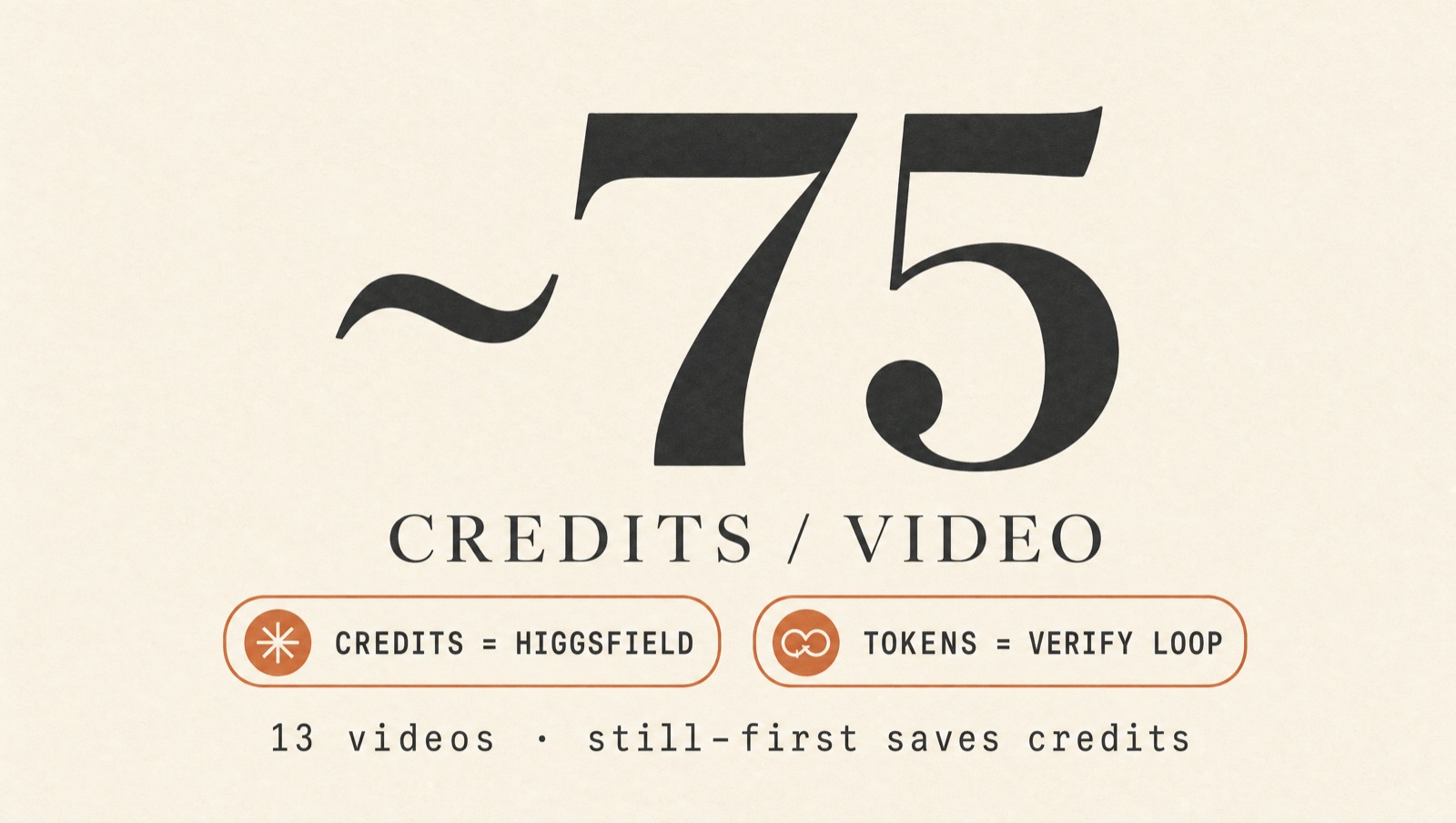
Stills are near-free. Lock the face, light and product here. Only move to the expensive video step once you have a frame you love — this gate kills 3–4 failed video attempts (~75 credits each) before they happen.
Step 3 — Make the still talk (UGC clip)
With an approved still, animation is one command. Embed the script in the prompt; voice and speech come automatically in ugc mode (no separate audio flag). The script must be English.
# bind your own product entity
printf '["<YOUR_PRODUCT_ID>"]' > products.json

higgsfield generate create marketing_studio_video \
  --start-image ./creator.png \
  --product_ids @products.json \
  --mode ugc \
  --duration 8 --resolution 720p --aspect_ratio 9:16 --wait \
  --prompt "Handheld selfie UGC clip in warm window light. ONE single
  consistent woman the entire clip — same face, hair, top, room; do NOT
  morph into a different person. She talks to camera in casual American
  English: '<SCRIPT>'. Minimal motion: holds the bottle near her face,
  small head movements, blinks, warm smile. Authentic phone footage,
  real skin texture, no filter."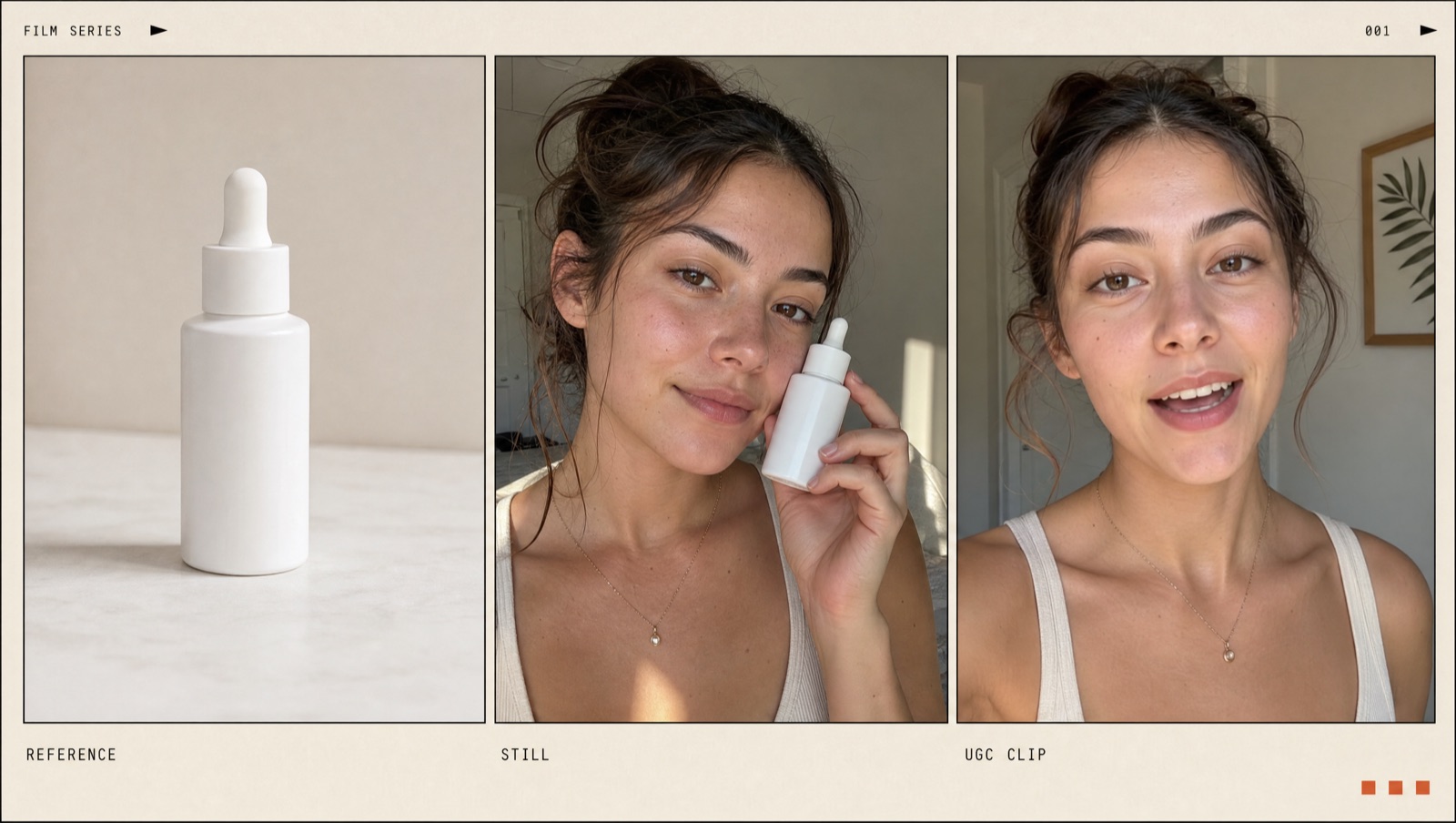
Step 4 — Verify (never trust blindly)
“Output arrived” ≠ “output is correct.” For every clip, pull frames and check it’s the same person; confirm the speech actually rendered.
# frames at 1/4/7s — same girl in all three?
for t in 1 4 7; do ffmpeg -v error -ss $t -i clip.mp4 -frames:v 1 out_$t.jpg -y; done
# is there speech?
ffmpeg -i clip.mp4 -af volumedetect -f null /dev/null 2>&1 | grep mean_volume
Step 5 — Extend (stitch two 8s clips)
Need something longer? Render two 8s clips from the same still and stitch them with ffmpeg — a jump-cut that already feels native to UGC, with identity safe inside each segment.
ffmpeg -y -i clip1_8s.mp4 -i clip2_8s.mp4 \
  -filter_complex "[0:v]scale=720:1280,setsar=1,fps=30[v0];\
[1:v]scale=720:1280,setsar=1,fps=30[v1];\
[v0][0:a][v1][1:a]concat=n=2:v=1:a=1[v][a]" \
  -map "[v]" -map "[a]" -c:v libx264 -pix_fmt yuv420p -c:a aac out_16s.mp4
The two traps — this is the real engineering
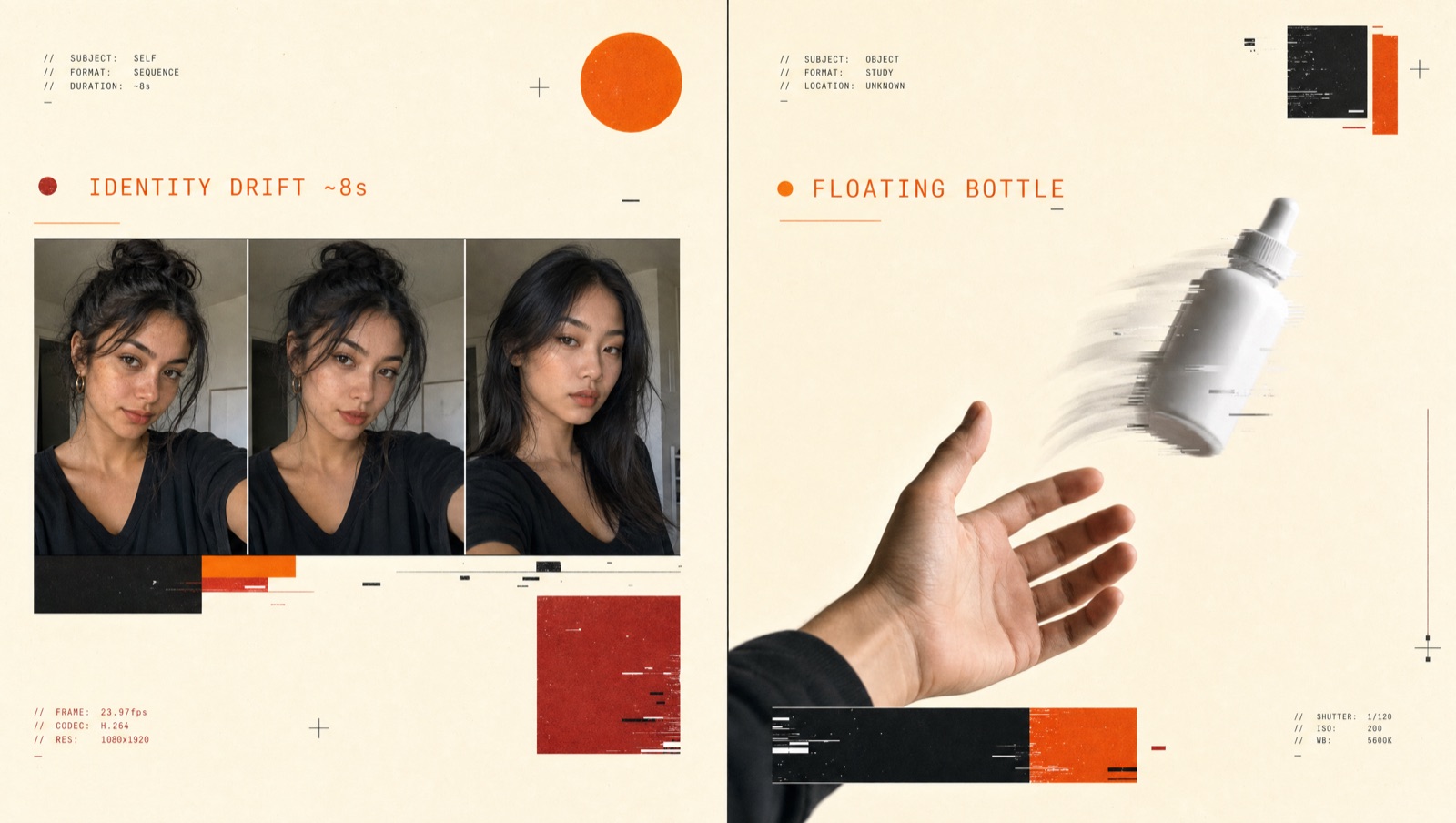
1) Identity drift (~8 seconds). The model uses the start-image only as a seed for the first seconds; after ~8s the face/outfit/room drifts into a different person (two people in one clip = instant “fake”). It’s stochastic — sometimes it holds 15s, usually not. Rule: keep clips ~8s and use the Step 5 stitch for longer videos.
2) Object-physics artifact (the floating bottle). Ask it to “open the cap” or “re-grip” and the bottle rotates on its own, flips, and appears to float in the first half-second — broken hand-object physics, another instant “AI” tell.
Faceless product ad (bonus)
Alongside the talking head, render a cinematic, faceless product ad: a premium hero still (nano_banana_2 — bottle + “wet stone, eucalyptus, soft window light”) → a slow push-in and droplet with seedance_2_0. Silent; add music with sonilo if you want.
higgsfield generate create seedance_2_0 \
  --start-image ./product-hero.png --duration 8 --wait \
  --prompt "slow cinematic push-in on the bottle, a single droplet runs
  down the glass, soft window light, shallow depth of field."
Cost, credits and token burn
The concrete part: each video step is ~75 credits. Stills are cheap — that’s where the savings live: locking face/light/product in the still kills 3–4 failed videos before they run. In one session we produced 13 videos; a good still plus the verify loop is what protects credits by shortening the “render–trash–rerender” cycle.
On the token side I won’t claim an exact number — but orchestration isn’t cheap. Running Claude Code in high + think mode, writing prompts, submitting jobs, extracting frames to verify, retrying when it doesn’t hold — all of it eats tokens. Parallel jobs add speed but bloat context. The practical summary: credits are burned by Higgsfield, tokens by the verify loop. The one thing that lowers both is the same: a good still and clear rules up front = fewer attempts.
Which video won? Measured, not guessed
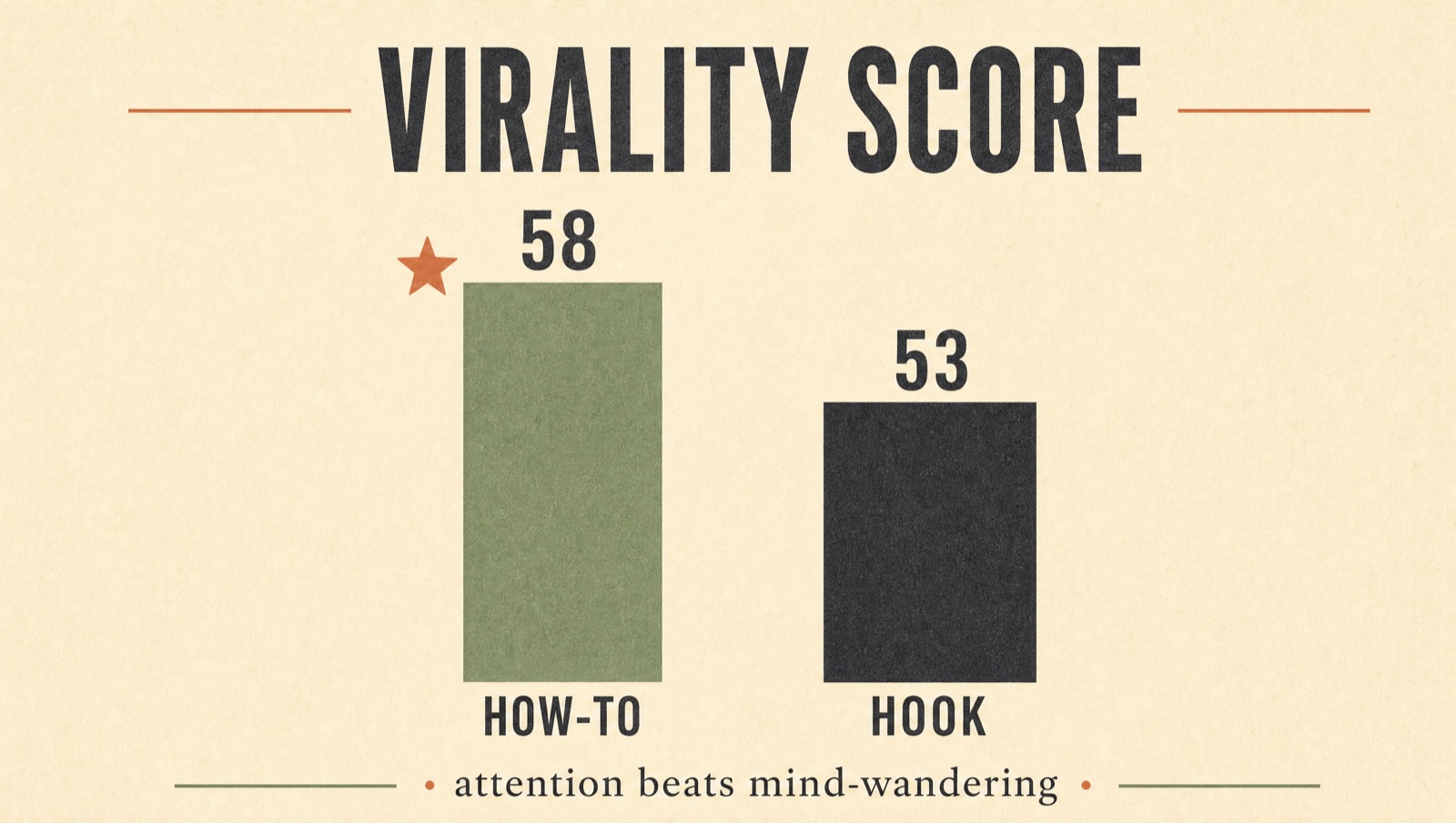
Instead of picking a favorite by feel, I ran the top clips through Higgsfield’s Virality Predictor. The winner was clear: the how-to / application video led on every dimension — overall 58 vs 53 for the plain hook; hook 42 vs 34, engagement 53 vs 47.
Why: in the how-to clip the dominant brain region was Attention (focus); in the plain hook it was Default Mode (mind-wandering, lower is better). What holds the viewer isn’t the talking head — it’s the product being used. The decision becomes data-driven: lead with the application angle over a static talking head.
Try it yourself — the 5-step summary
- 1. Generate a still from your product’s clean reference (nano_banana_2), “pretty but real” + window light.
- 2. Approve the still — don’t burn video credits until you love it.
- 3. Make it talk (marketing_studio_video --mode ugc), English script, ~8s clip.
- 4. Verify with ffmpeg (frames at 1/4/7s + audio).
- 5. Want it longer? Stitch two 8s clips; then measure with the Virality Predictor.
The real leverage isn’t the tool: it’s the recipe + verify loop + memory. Write them into a CLAUDE.md and video #14 comes out cheaper and better than #1. Here Claude Code isn’t the thing making the video — it’s the director chasing the process.
Client brand kept anonymous; product name and IDs omitted. Commands are real — swap in your own product.
 Fable 5 Is Back — What It Is and What You Can Do With It