 article
Using Claude Code Like a Pro
April 25, 2026 · selma kocabıyık
Everyone talks about plugin lists. But what about the actual infrastructure underneath? CLAUDE.md files, sub-agent collections, MCP servers. Set up all three properly and Claude Code becomes unrecognizable.
Below: GitHub repos, install commands, and the best community resources for each layer.
I'm @selmaaii — I write about Claude Code and AI workflows (mostly in Turkish, occasionally in English). Follow along for more.
Layer 1 → CLAUDE.md: Persistent Project Memory
Claude Code automatically reads the CLAUDE.md at your project root at the start of every session. You write it once, and Claude knows about it every time.
But writing this file well matters more than just writing one at all. Every token eats into context — a poorly-written 500-line CLAUDE.md gives worse results than a well-crafted 100-line one.
The right approach: think of the file as the project's "onboarding guide". If a new engineer joined the team, what would you show them? Architecture, folder structure, code conventions, the gotchas to watch out for. That's exactly what you write for Claude.
Avoid generic AI advice ("write clean code", "be secure") — Claude already knows that, you're just burning tokens. Instead, write project-specific "don'ts": "don't use the any type in this project", "don't change the schema without writing a migration", "we're on Tailwind v4, the @apply directive doesn't work".
The cleanest way to start: type /init in the terminal. Claude scans your project and drafts the first version itself.
The CLAUDE.md the community actually talks about
▸ forrestchang/andrej-karpathy-skills — A single CLAUDE.md file distilled from Andrej Karpathy's tweet on LLM coding pitfalls. Four principles: Think Before Coding, Simplicity First, Surgical Changes, Goal-Driven Execution. Karpathy's observation: models often make assumptions silently and barrel ahead, fail to manage their own confusion, and over-complicate everything. This CLAUDE.md is written specifically to block those behaviors.
Install:
curl -o CLAUDE.md https://raw.githubusercontent.com/forrestchang/andrej-karpathy-skills/main/CLAUDE.mdTo append to an existing CLAUDE.md:
curl https://raw.githubusercontent.com/forrestchang/andrej-karpathy-skills/main/CLAUDE.md >> CLAUDE.mdOr install it as a Claude Code plugin (two commands):
/plugin marketplace add forrestchang/andrej-karpathy-skills
/plugin install andrej-karpathy-skills@karpathy-skills
Official sources
- Official repo → github.com/anthropics/claude-code
- Best practices → code.claude.com/docs/en/best-practices
Layer 2 → Sub-Agents: Your Own Specialist Team
Sub-agents are specialists running in their own contexts, separate from the main Claude session. Each has its own system prompt, its own permissions, its own tools.
The advantage is simple: when a sub-agent does code review, it doesn't pollute the chat where you wrote the code. While one writes tests, you can do other work. While debugging, the main Claude's 50k-token context stays clean.
Setup works like this: create a .claude/agents/agent-name.md file, put YAML metadata at the top (name, description, which tools it can access), and the task definition below. Or clone one of the ready-made collections below.
There are two collections people actually use. The rest aren't garbage, but these two are enough:
▸ wshobson/agents
The community's most popular sub-agent collection. 112 specialist agents + 73 plugins + 146 skills. Add it to your marketplace with /plugin marketplace add wshobson/agents and install only the plugins you need.
▸ vijaythecoder/awesome-claude-agents
24 agents orchestrated together as an "AI dev team". If you prefer working with a coordinated team rather than wiring up individuals, this is the better fit. Symlink it for auto-updates:
git clone https://github.com/vijaythecoder/awesome-claude-agents
ln -sf "$(pwd)/awesome-claude-agents/agents/" ~/.claude/agents/awesome-claude-agents
github.com/vijaythecoder/awesome-claude-agents
The ones you'll actually use day-to-day: code-reviewer, test-writer, debugger, refactorer, security-auditor, doc-writer. Claude usually picks the right one automatically; if you want to invoke one manually, just say > Use the debugger agent.
Layer 3 → MCP Servers: The Connection to the Outside World
MCP (Model Context Protocol) isn't a plugin — it's a standard. The common protocol that connects Claude to external services (GitHub, Postgres, Chrome, Figma, Sentry, Linear…). Most plugins are already built on top of it.
Two install paths: either claude mcp add <name>, or add it manually to a .mcp.json file at your project root.
The two main source repos for the ecosystem
- modelcontextprotocol/servers — Official MCP servers and reference implementations. Filesystem, Git, Postgres, SQLite, GitHub, Puppeteer — all here.
- wong2/awesome-mcp-servers — A community-maintained list of every MCP server out there. When you need something, start here.
The ones you'll use most day-to-day
- Context7 — Up-to-date library documentation. Kills Claude's tendency to hallucinate from outdated library knowledge.
- Playwright — Browser control, E2E testing, work directly on real pages.
- GitHub — Manage PRs, issues, and commits straight from chat.
- Filesystem — Controlled access to files outside the project.
- Postgres / Supabase — DB queries, schema exploration, migrations.
- Sentry — Production errors land directly in Claude.
When All Three Work Together
You're building a new feature. The flow looks like:
CLAUDE.md already knows the project rules. Linear MCP pulls the ticket. A planner agent writes the spec. The main Claude writes the code. The code-reviewer agent reviews it. Playwright MCP runs the tests. GitHub MCP opens the PR.
One session. No context contamination. You're just steering. That's the difference.
Where to Start
Don't set everything up at once.
Week one, just write a proper CLAUDE.md for your active project. Start with /init, keep it 100–200 lines. Week two, add one or two sub-agents from wshobson/agents — the one with the biggest immediate impact is code-reviewer. Week three, wire up 2–3 MCPs based on what you actually need. For most frontend/full-stack work, Context7 + GitHub + Playwright is enough.
Every layer costs tokens. Disable what you're not using — your budget and your nervous system will both thank you.
Bonus → Managing Coding Agents Like a Team
Everything above treats sub-agents as individual specialists. You write code, the code-reviewer reviews, the debugger finds bugs. All inside your session, all sequential.
But what if you want multiple coding agents running in parallel on different tasks? One agent on feature A, another debugging feature B, a third writing docs — and you track all of them on a board like Linear?
That's when you need an agent orchestration platform, not just sub-agents.
▸ multica-ai/multica
19.1K ⭐. Open-source managed-agents platform. Turns coding agents into actual teammates: assign a task to an agent (the way you'd assign a Linear ticket to someone), the agent writes the code, reports blockers if there are any, and you track progress on a dashboard. Manages Claude Code, Codex, Cursor Agent, Gemini, Pi, and other CLI agents on the same board — so you're not locked into Claude.
Side note: the person behind the Karpathy CLAUDE.md (forrestchang) is also behind Multica. Same mind, two layers — one makes a single Claude smarter, the other turns many Claudes into a team.
Install:
brew install multica-ai/tap/multica
multica setup
Then run multica issue create to spin up a task and assign it to an agent — the agent works on it autonomously. You move from a solo workflow to "AI team management".
When you need it: freelancers running 3–5 features in parallel, small teams, or anyone building serious automation around AI agents.
Official Resources (one click each)
- Official Claude Code repo → github.com/anthropics/claude-code
- Official plugin directory → github.com/anthropics/claude-plugins-official
- Official skills repo → github.com/anthropics/skills
- MCP protocol → modelcontextprotocol.io
- Best practices → code.claude.com/docs/en/best-practices
For more practical AI content: @selmaaii
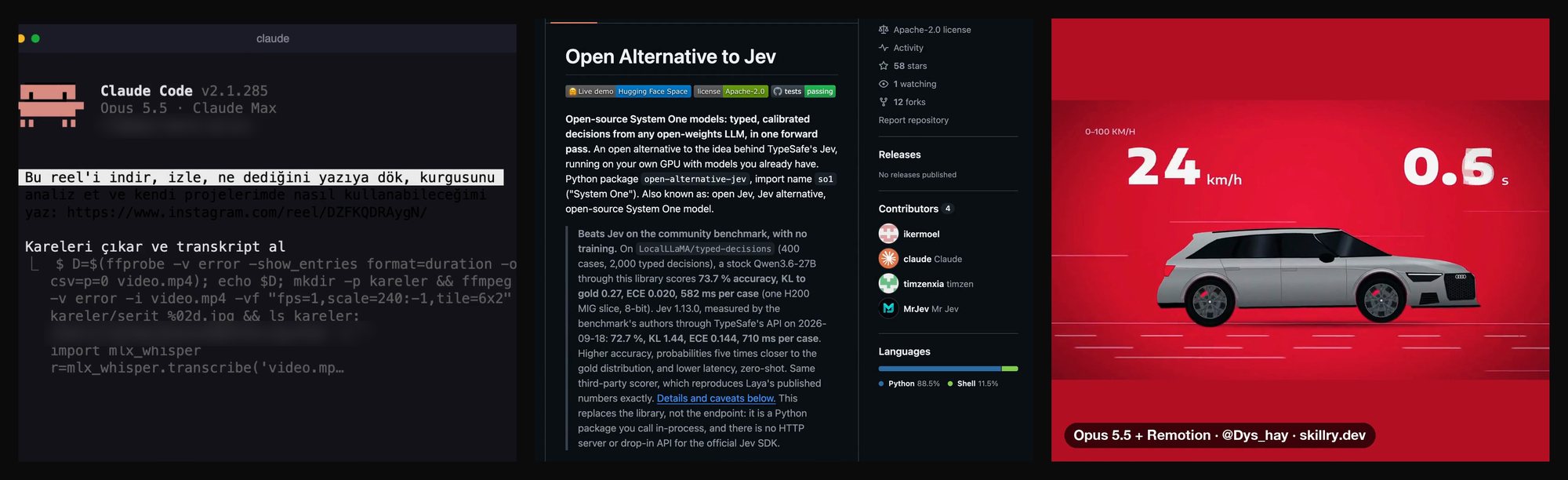 No Editing Software: Cutting a Reel with Claude Code and Remotion, Step by Step