Claude Code's own memory — auto memory and the files behind it
Even with nothing installed, Claude Code remembers things. What does it write, where, by which rule — and what gets deleted after 30 days?
Claude Code deletes every conversation you have with it after 30 days; the notes it keeps about you it never touches. That asymmetry is not a bug — it is the design itself.
This is the second piece in the memory series. In the first one we laid out the shared skeleton of every memory system: two paths, three pieces. Before building our own system there is one more stop, because Claude Code already ships with a memory system out of the box.
Most people have no idea it exists, because we all do the same thing: we download a tool, dozens of files come along with it, and we have no clue how the system behind it works. That is fine — I did not know either. Normally I would not have looked; I only dug into it for the video.
One command is enough to see it: type /memory in the terminal. You get the words "auto memory on" and every record Claude has kept in that project so far. You did not enable it, you did not set it up; it comes switched on by default.
This piece answers four questions about that default system: who writes the notes, what goes into them, how they get loaded into a session, and why your conversations get deleted.
Two mechanisms: you write one, Claude writes the other
Every session starts with an empty context. Two mechanisms carry information across sessions: CLAUDE.md and auto memory. The line is sharp: you write CLAUDE.md, Claude writes auto memory.
CLAUDE.md is your side: it carries the permanent instructions you give the agent. My global file holds rules like "Security first", and I put every line there myself. Auto memory is the notes Claude keeps on its own: when a session ends, it writes whatever it deems necessary into its own folder, by itself.
The direction is one-way. Claude does not add its conclusions from a session to CLAUDE.md on its own; unless you specifically ask, it does not touch that file. The rules file is your territory, the notes folder is its territory.
Manual intervention works in both directions. Say "could you save this" and Claude drops a note on the spot; explicitly ask it to add a rule to CLAUDE.md and it does. The default behavior, though, follows this division of labor.
So what exactly is "whatever it deems necessary"?
Four record types — all four sitting in my folder right now
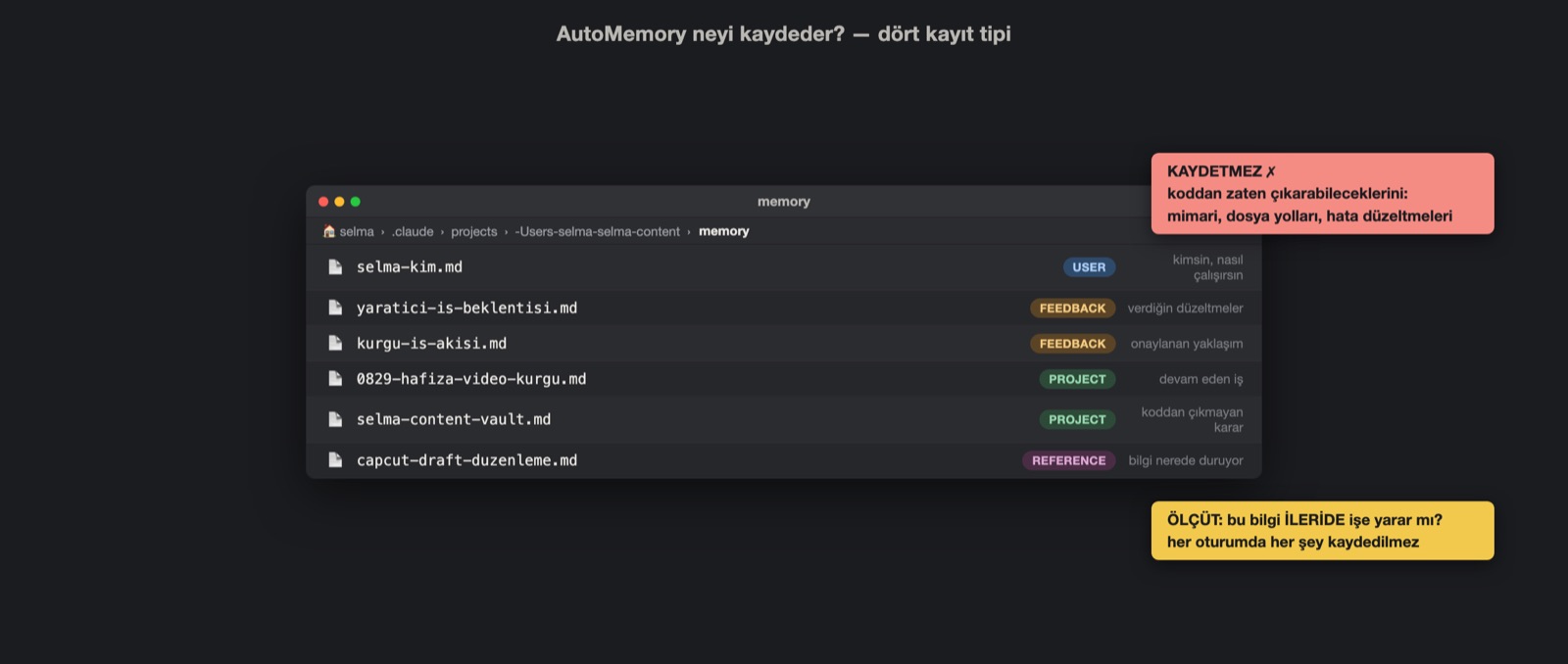
The information Claude records falls into four types, and all four sit in my memory folder as real files. I created none of them; all four were born on their own inside ordinary sessions.
- user: who you are, your role, your working preferences. For me
selma-kim.mdis this type; it records where I live and my timezone. - feedback: the corrections you give and the approaches you approve during a chat. The moment you dislike a design and say "never use this again", a line lands here. That is how
yaratici-is-beklentisi.mdwas born in my folder. - project: ongoing work, deadlines, and decisions that cannot be derived from the code or the GitHub history.
0829-hafiza-video-kurgu.mdis this type; Claude remembers from there which timeline the edit was left on. - reference: where the information lives. If the knowledge sits on another platform or in another file, Claude keeps the address, not the content itself. In my folder
capcut-draft-duzenleme.mddoes that job.
Just as important as the list: what gets left off it.
What it does not record — and why
Nothing that could already be derived from the code gets written: architecture, file paths, bug fixes. Claude can re-derive those every time it reads the files; turning the same information into a note as well would only produce duplicate records. Things already written in CLAUDE.md are skipped too.
Nor does every session produce a record. There is a single criterion: will this information be useful later? If yes, it gets written; if not, the session closes without leaving a note.
The moment of writing is not hidden either. It happens inside the session, right in front of you: "Saved 2 memories" appears on screen when it writes, "Recalled 2 memories" when it reads. There is no secret background process either; I checked — under ~/.claude/cache there are no vectors, no embeddings, no database. The write path and read path from the first piece turn into two short on-screen messages here.
So how does a written note come back in the next session? The answer goes through an index.
MEMORY.md: the one file loaded in every session
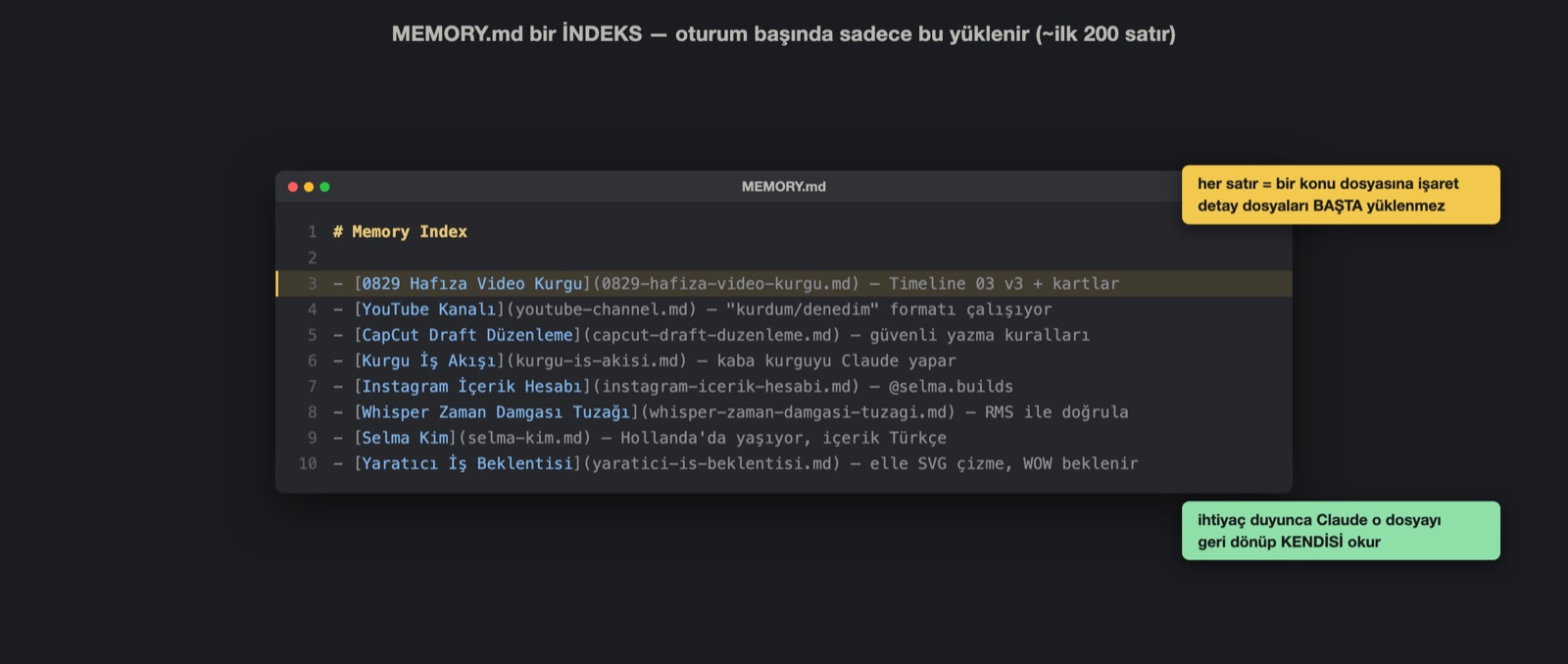
The MEMORY.md in the folder acts as an index. At the start of every session, the first 200 lines or the first 25 KB of this file get loaded — whichever fills up first. The topic files are not loaded upfront; the moment Claude needs one, it goes back and reads the relevant file itself.
In my own folder the split is visible to the naked eye: the index is 16 lines, and behind it 14 topic files wait to be opened on demand. The map metaphor from the first piece finds its exact counterpart here: the map is in my hand every session, and I only enter the shops when needed.
The index's line format follows the same pattern: a title, a filename, and a one-sentence hook. The topic files carry 28 wikilinks among themselves; the edges I described in part 1 are woven into Claude's own folder too.
In this picture everything looks permanent. It is not.
Conversations live 30 days, notes are permanent
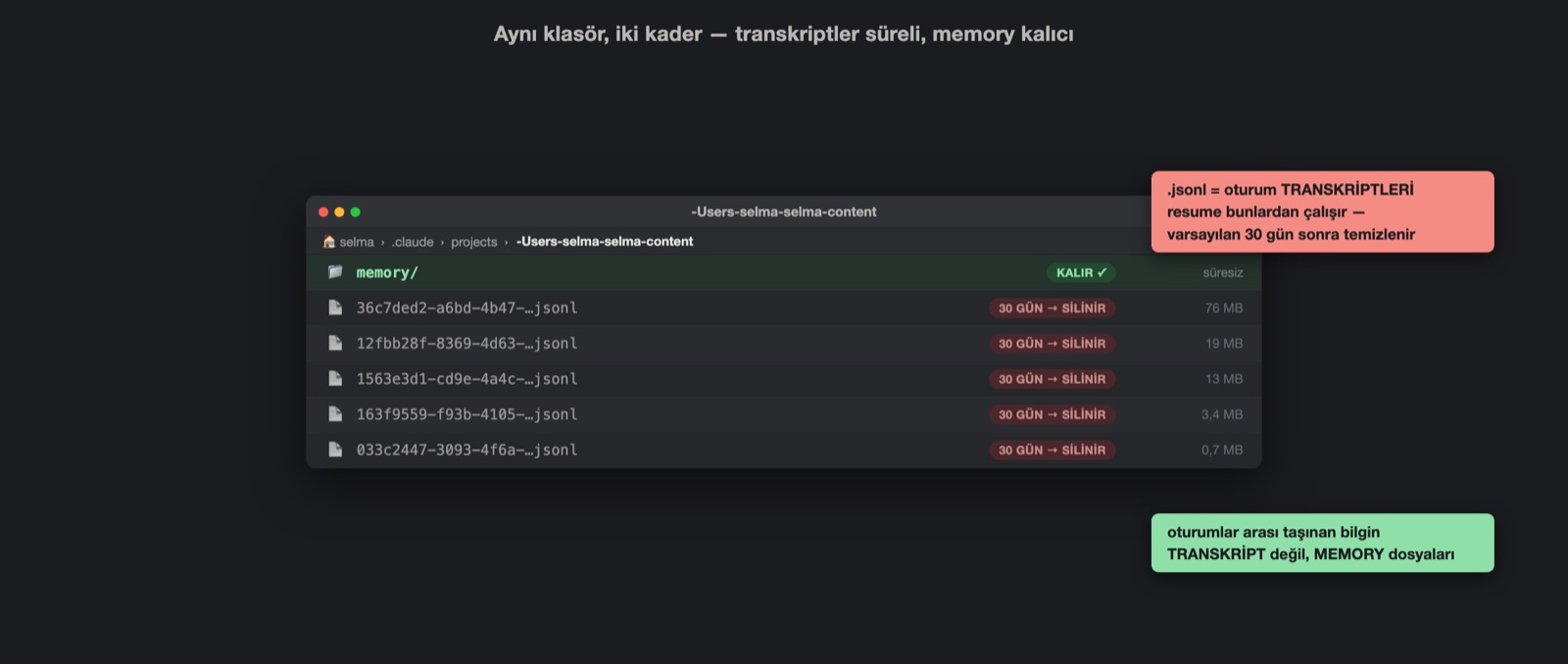
All your conversations sit in your project folder as transcripts. The reason is resume: when you want to pick an old session back up where it left off, Claude Code opens that record. Their default lifespan is 30 days; once it runs out, they get deleted.
I measured. On August 28, 372 transcripts had piled up on this machine, 914 MB in total; only 4 files older than 30 days remained. A single project's folder held 24 transcripts and 540 MB; the oldest dated back to July 30. In another project the picture was more striking: not a single transcript left, but the 4 files in the memory folder had been sitting there since May.
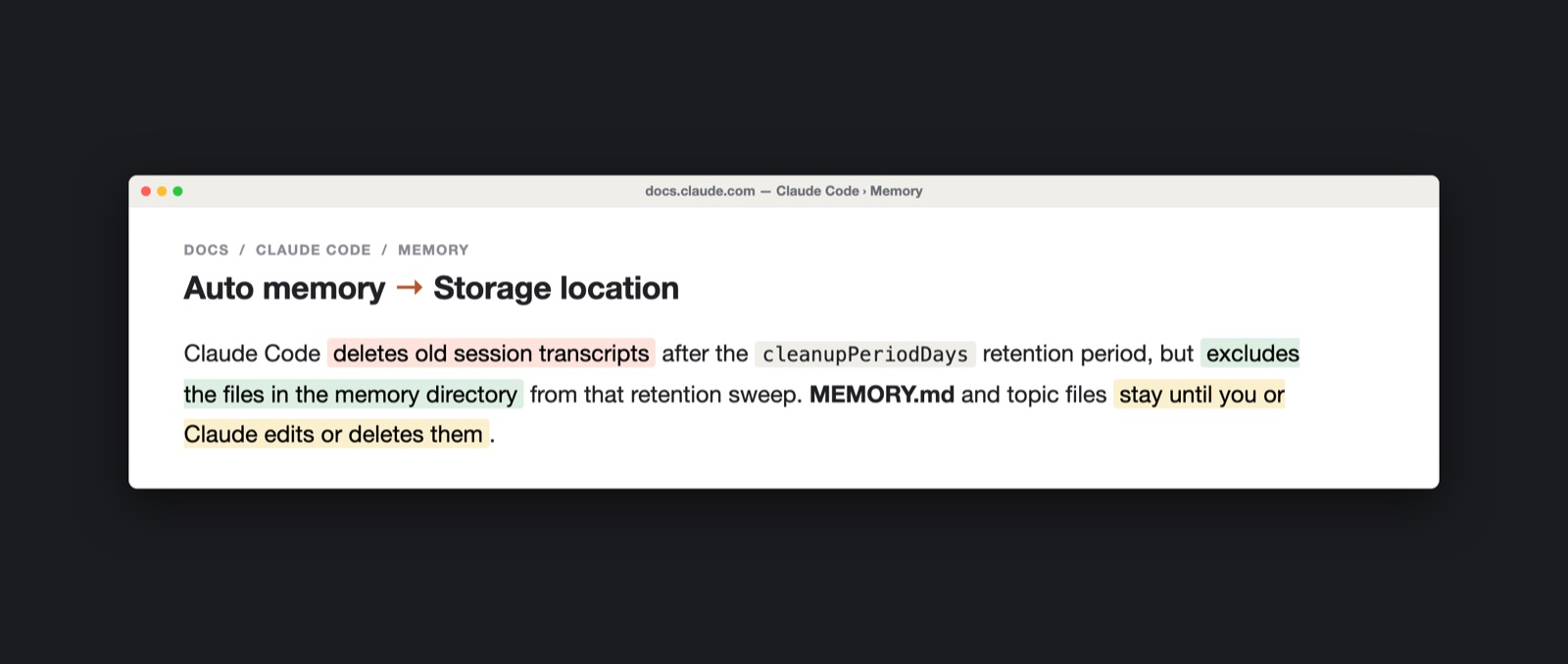
The official documentation separates these two fates in a single sentence: old session transcripts get cleaned up, the memory folder is exempt from that cleanup. In other words, what travels between sessions is not the conversation itself but the notes distilled from it. Claude does not go back and read your previous conversation on its own.
There is a way back into an old conversation, but it is all manual work. If you say "we discussed this last session" and hand over the context, it can go look; sometimes you have to sit down for 5-10 minutes and explain what you did and how. And that scan itself burns extra tokens.
Nor is 30 days a fixed rule.
The duration is yours to set — but the default has a wall
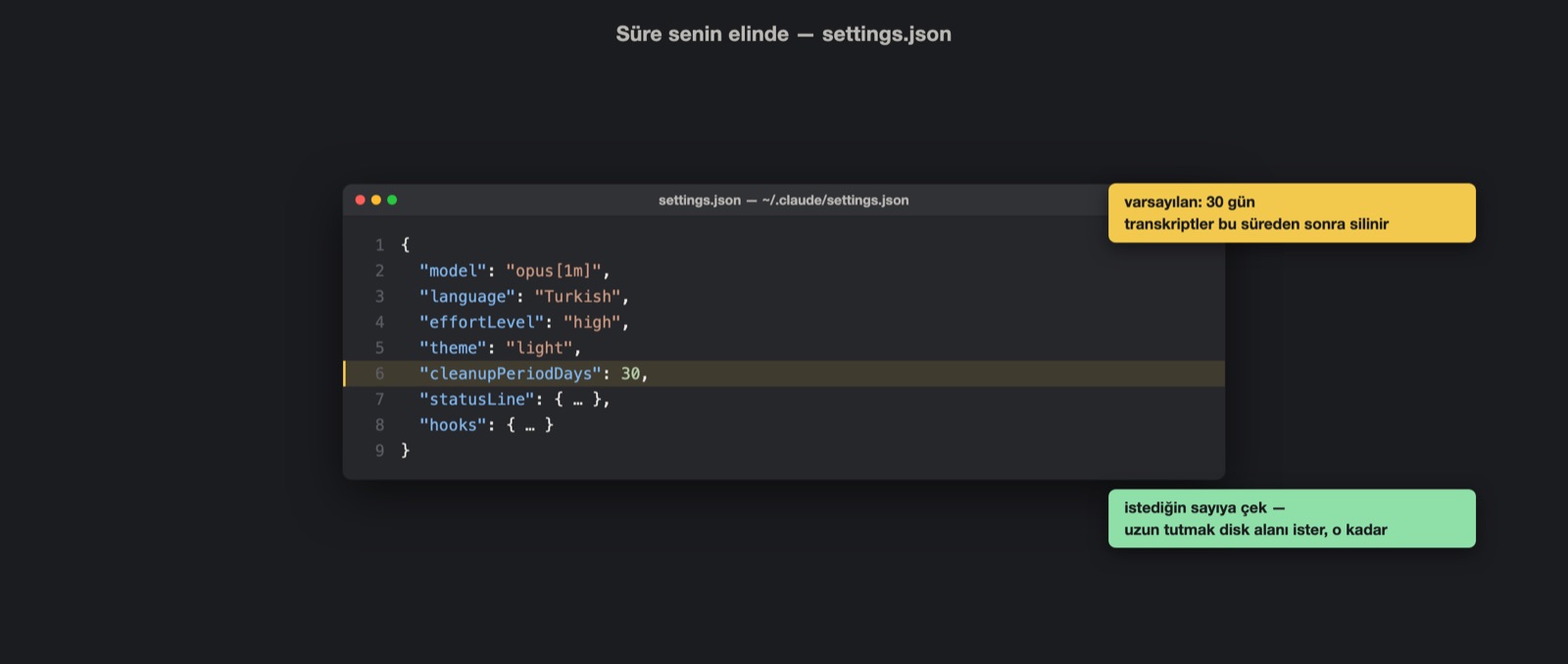
The deletion period is set by cleanupPeriodDays in settings.json. It does not have to be 30; the only cost of keeping it long is disk space. If your context fills up often and you return to old sessions, extending the period makes sense; whatever the number, the memory folder stays outside this calculation.
Tools like Hermes Agent can analyze these transcripts in the background and index them separately; that is one more payoff of letting transcripts live longer.
Extending the period still does not solve the real problem, because the default system has a wall. The agent knows who I am, but it cannot follow a topic we discussed a few months ago. An API key runs out of credit, I hand over a new one; in the next session it tries to use the old one. It makes this mistake so often that I have to spell out the right key every single time. My morning routine works flawlessly for a month; then one day it starts building the format I explained over and over the wrong way.
In none of these experiences was there an LLM wiki; I lived through all of them on pure defaults. Auto memory keeps the important technical facts, but it does not keep the history of topics.
Try it yourself — a three-minute tour
- Type
/memoryin the terminal and look at your auto memory records for the first time. - Match your files to the four types: user, feedback, project, reference. Which type do you not have at all?
- Check the dates of the transcripts under
~/.claude/projectsand count whether any are older than 30 days. - Make your own call on
cleanupPeriodDays: how long should transcripts live on your machine?
In short: Claude Code's default memory carries who you are, not what you talked about. Nothing I have described so far requires any setup; it all ships with Claude Code. To fill that gap, we put a layer on top of the default. In the next part I move on to that layer, the LLM wiki: the file structure built on top of the notes, and the format that weaves the edges connecting the files.